
Every phone, camera, access point, computer, server, and connected system needs a reliable way to communicate.
Gibson Teldata designs and installs the cabling, wireless connections, equipment infrastructure, and underground pathways that bring your technology together, whether everything is under one roof or spread across an entire property.
A strong network starts long before you plug in a switch or connect an access point. The cabling behind the walls, above the ceiling, and inside your equipment rooms plays a major role in how reliably everything else works.
Gibson Teldata designs and installs structured cabling systems around your facility, equipment, performance requirements, and plans for growth.
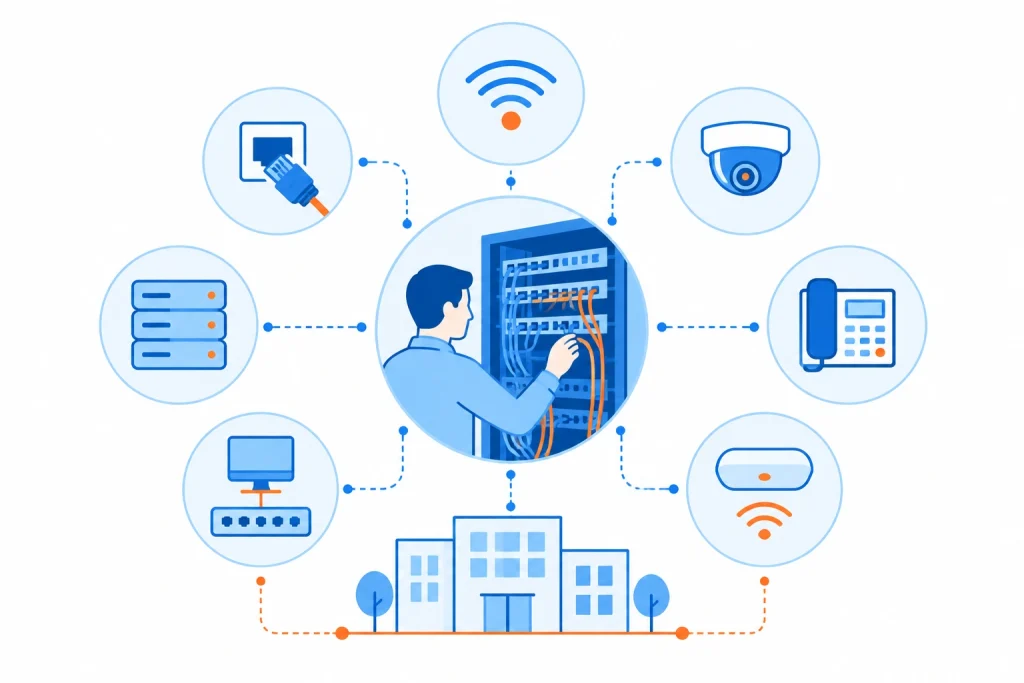
Structured cabling can be worth reviewing if:
You are moving into, renovating, or constructing a facility
You are adding phones, cameras, access points, computers, or other connected devices
Older cabling is limiting network performance or new technology upgrades
Different areas of your building were cabled at different times with little consistency
Your server or equipment room has become difficult to manage
Your organization needs faster connections between network equipment or building areas
Gibson can evaluate your existing cabling and help determine what can stay, what should change, and how to organize the infrastructure around your current and future technology.
Explore the infrastructure components that help create a cleaner, more dependable foundation for connected technology.
Support high-speed data transmission across network backbones and longer-distance connections with fiber designed around your capacity and environment.
Connect common network and communications devices throughout offices, schools, healthcare facilities, warehouses, and other commercial environments.
Give switches, patch panels, servers, and other equipment a secure and organized place within your network environment.
Centralize cable terminations to make network connections easier to organize, identify, change, and maintain.
Keep infrastructure organized with pathways, labeling, routing, and supporting hardware that reduce unnecessary cable clutter.
Verify installed connections and create a clearer picture of the cabling infrastructure your IT team will need to manage.
Install cabling as part of a new facility build or work within existing buildings when technology infrastructure needs to be expanded or modernized.
A properly designed cabling system provides the physical connections required by phones, wireless networks, security technology, computers, servers, and other devices.
Organized racks, patch panels, labeling, and cable management make it easier to trace connections when something needs attention.
A structured approach makes it easier to add devices, employees, equipment, and technology without turning every expansion into a cabling project from scratch.
Moving away from tangled, difficult-to-identify cabling can make network closets and server rooms easier to work in and maintain.
Structured cabling is an organized approach to installing and managing the physical cabling that connects network, communications, security, and other business technology throughout a facility.
Copper cabling is commonly used to connect devices throughout a building. Fiber optic cabling can support higher-capacity transmission and longer distances, making it useful for network backbones and connections between equipment areas or buildings.
The best choice depends on the application.
Yes. Gibson can incorporate racks, cabinets, patch panels, and other supporting infrastructure into the overall cabling design.
Yes. Gibson can evaluate existing infrastructure to determine what can continue to be used and where changes or new cabling may be appropriate.
Yes. Structured cabling can support many types of connected technology, including business phones, wireless access points, IP cameras, access control systems, computers, and other network-connected devices.
Yes. Gibson can help plan and install cabling infrastructure for new construction as well as expansions, renovations, and existing facilities.
Some connections need to move with your employees. Others need to cross a parking lot, campus, warehouse, or open space where installing a traditional wired connection might not be the best option.
Gibson Teldata helps businesses design wireless infrastructure around both situations.
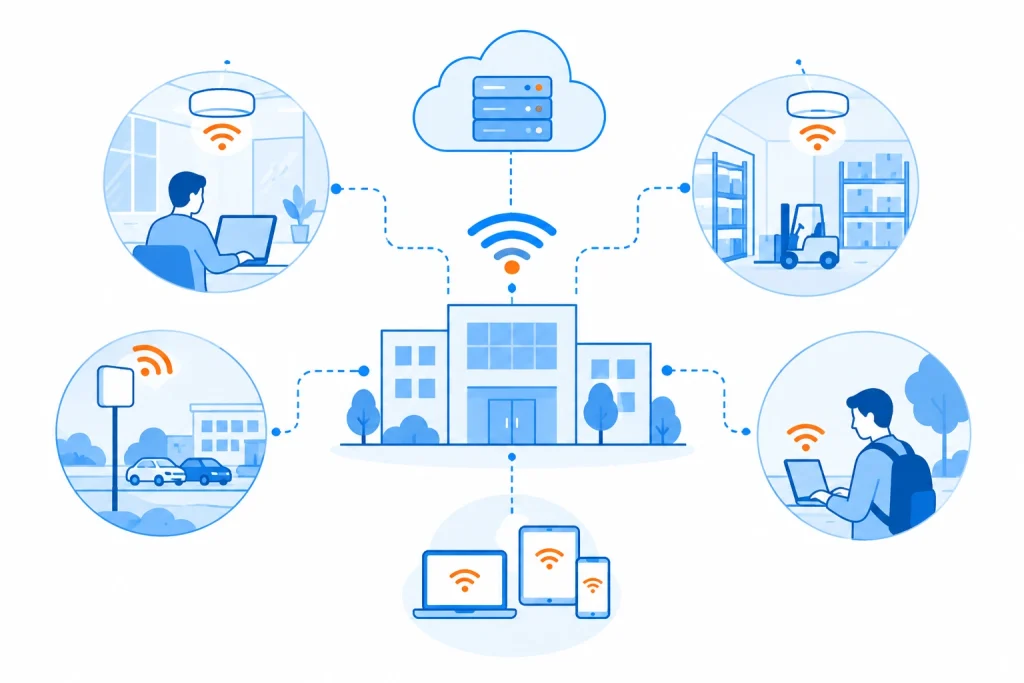
A wireless infrastructure project makes sense if:
Employees or guests experience weak or inconsistent Wi-Fi in parts of your building
You’re adding mobile devices, wireless phones, tablets, scanners, or other connected technology
Your current wireless network was designed before the number of connected devices increased
Your business operates multiple buildings on the same property
Warehouses, classrooms, conference rooms, or other areas have coverage gaps
You need wireless infrastructure designed around business use rather than relying on a collection of standalone access points
Gibson can evaluate the physical environment, existing network, device requirements, and coverage needs before recommending an approach.
Explore wireless capabilities designed to extend reliable network access throughout buildings and across business properties.
Provide wireless connectivity for employees, devices, applications, and approved guests throughout your facility.
Position access points around the actual coverage and capacity needs of your building rather than simply adding devices wherever signal becomes weak.
Account for building size, layout, construction materials, user density, and other factors that can affect wireless performance.
Connect wireless infrastructure with your switches, firewalls, Internet services, and broader network environment.
Extend network connectivity between separate buildings using wireless links where the site and application make wireless a practical option.
Create a dedicated wireless connection between two locations within line of sight when supported by the environment.
Plan infrastructure so additional access points, users, devices, or coverage areas can be incorporated as requirements change.
Purposeful wireless design helps reduce the frustrating dead zones created when access points aren’t properly placed for the building.
Support employees who move between offices, classrooms, patient areas, warehouses, production floors, and other workspaces throughout the day.
Modern businesses are connecting far more than laptops. Phones, tablets, scanners, cameras, IoT devices, and other technology can all add to wireless demand.
Building-to-building wireless can provide another way to extend connectivity across campuses and business properties without automatically requiring a physical cable between locations.
In-building wireless uses strategically placed access points and supporting network infrastructure to provide wireless connectivity throughout a commercial facility.
Building materials, layout, distance, interference, device density, access point placement, and other factors can affect wireless performance. Gibson can evaluate the environment to identify what could be contributing to inconsistent coverage.
Building-to-building wireless creates a network connection between separate structures using wireless technology instead of relying solely on a physical cable between them.
It might be an option when buildings are located on the same property or within an appropriate range and installing new physical cabling would be difficult, disruptive, or unnecessary.
The property and application should be evaluated before selecting the connection method.
Not exactly. Both use wireless technology, but building-to-building systems are designed to create a dedicated connection between locations rather than simply providing Wi-Fi coverage for users inside a space.
Yes. Gibson can review your existing access points, switching, cabling, coverage, and network requirements before recommending upgrades.
Sometimes the hardest part of connecting a building is just getting the cable there.
When Fiber, copper, conduit, or other infrastructure needs to travel underground, Gibson Teldata can help determine the installation approach that makes sense for the property and project.
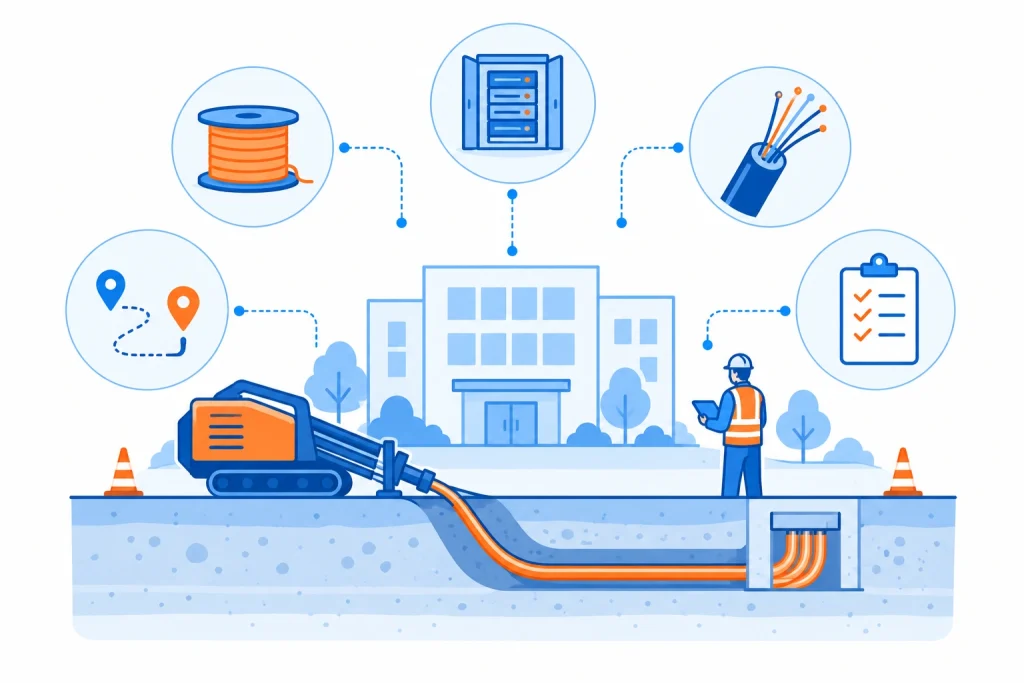
Directional boring, plowing, or trenching might be needed if:
You need to connect two or more buildings on the same property
Existing underground cabling needs to be replaced or expanded
A new building needs network or communications infrastructure
New conduit or pathways need to be installed
Fiber or copper needs to reach an outdoor or remote area
Your campus, facility, or property is expanding
The appropriate installation method depends on the property, distance, surfaces, existing utilities, cable requirements, and overall project scope.
Explore the installation options that help extend communications and network infrastructure across properties and between facilities.
Create underground pathways with less surface disturbance than traditional open excavation in appropriate applications.
Install compatible cable or conduit efficiently along suitable outdoor routes.
Create accessible underground pathways where open excavation is appropriate for the site and project.
Provide protective pathways for Fiber, copper, or other low-voltage infrastructure.
Extend physical network connections between separate facilities using the cabling and installation approach suited to the distance and environment.
Pair underground pathway work with the appropriate cabling for the connectivity the project needs.
Consider routes, facilities, connection points, existing infrastructure, and project requirements before installation begins.
Extend network and communications infrastructure to buildings that can’t be practically connected through indoor cabling alone.
Schools, healthcare campuses, manufacturers, warehouses, municipalities, and other organizations can add connectivity as new buildings or spaces come online.
Proper pathways and conduit can help protect physical network infrastructure as it travels across outdoor areas.
Not every project needs the same approach. Boring, plowing, and trenching each solve different site and installation challenges.
Directional boring is a method for creating an underground pathway between locations without opening a continuous trench across the entire route. It can be useful when infrastructure needs to travel beneath certain surfaces or obstacles.
Directional boring creates an underground pathway with limited surface excavation. Plowing creates a narrow route for compatible cable or conduit. Trenching opens the ground along the installation path.
Which approach makes sense depends on the site and project.
Yes. Underground Fiber, copper, or conduit can be used to establish physical connections between buildings on a campus or business property.
Fiber is often considered for building-to-building connections because it can support high-capacity transmission across longer distances. Gibson can evaluate the distance, required performance, environment, and existing infrastructure before recommending a cable type.
Conduit and other pathway requirements can be considered as part of the underground infrastructure design based on the project.
No. Both can be useful.
A physical underground connection might be preferred for certain performance, capacity, or infrastructure requirements, while wireless can make sense when installing a physical pathway is impractical. Gibson can help compare the options based on the property and application.
Cabling isn’t the end goal. It’s the infrastructure that your network, communications, wireless, security, and other systems will depend on every day.
That’s why Gibson approaches infrastructure as part of the bigger technology environment.

We consider the building, equipment, users, connected systems, distances, and performance requirements before determining what infrastructure belongs where.
From racks and cabling to wireless links and underground pathways, Gibson can help coordinate more of the infrastructure required to connect your technology.
Our team helps plan, install, organize, and test infrastructure so the finished environment is ready to support the systems your business relies on.
We design around what you need today while considering the additional devices, locations, equipment, and technology your organization might need to support later.
Pair your cabling infrastructure with firewalls, routers, data switching, servers, storage, and other technology designed around your business environment.

Support cloud applications, remote locations, communications, and everyday operations with business connectivity designed around your requirements.

Support IP cameras, access control systems, intercoms, intrusion detection, and other connected security technology with the infrastructure it needs to operate.